
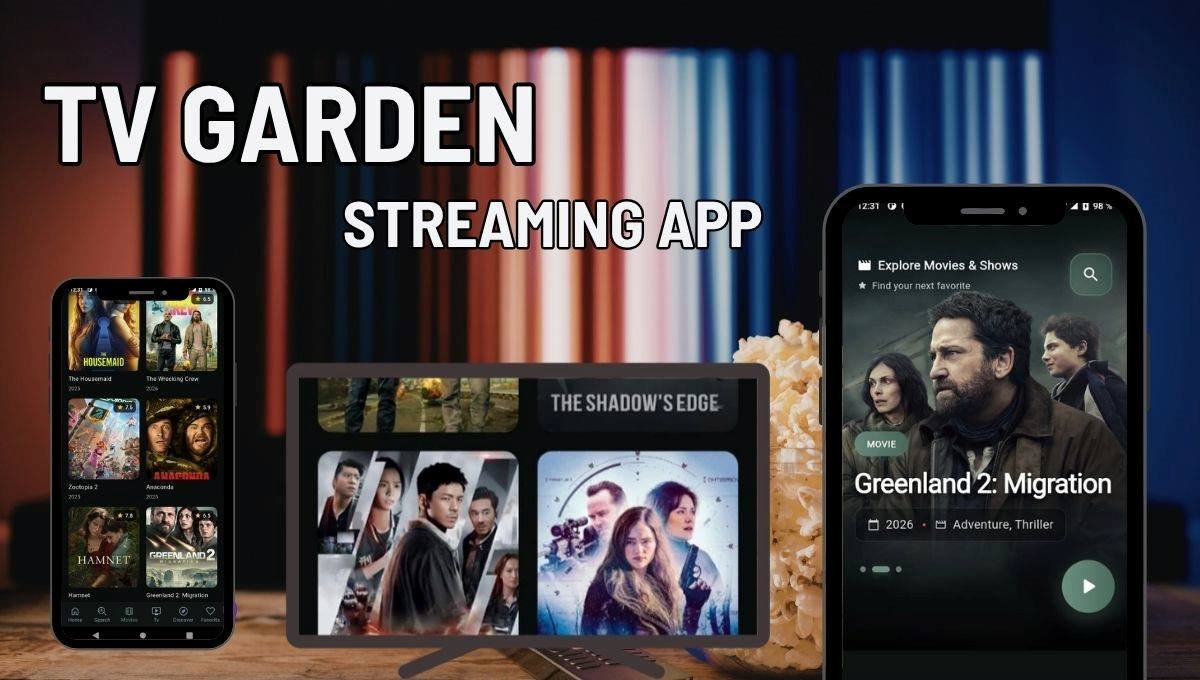
TV Garden is a free online real-time television streaming site that collects free TV stations, broadcasting in countries all over the world and displays them in one simple and clean interface. No subscription cost, no account to set up and no application to download and install compulsory. You open a browser, go to the site and begin watching.
The site is based on the principle of aggregating publicly accessible stream links to the IPTV-Org community playlist which is an open-source project on GitHub as well as the YouTube live streams. TV Garden does not store any video content on its servers. Simply put, it is an intelligent, well-crafted directory, which links viewers to already existing streams that are on the internet.
What is TV Garden?
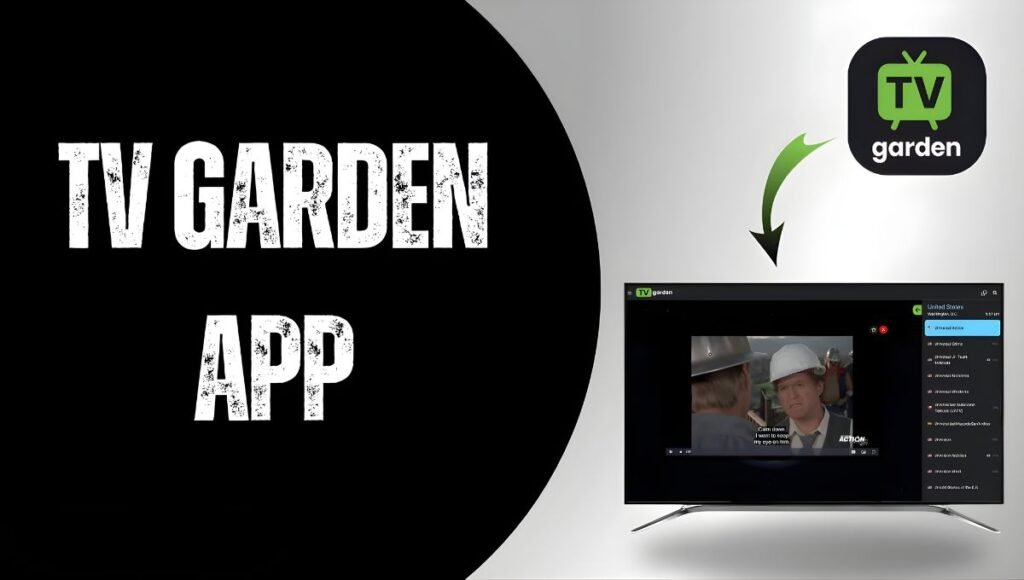
TV Garden is a database of more than 130 countries with more than 1,000 channels. The series covers an extensive number of genres and languages, and it can be truly helpful to international viewers and cord-cutters.
Content Categories Available
- News: news channels, international and regional, in various languages.
- Sports: local sports broadcasts, some live events, sports news channels.
- Entertainment: overall entertainment in dozens of countries.
- Music 24/7: music video channels in such regions as South Korea, Spain and Jamaica.
- Kids: Children programming of different countries.
- Films: standard and high definition cinemas.
- Documentary: nature, history, science programming and facts.
- Travel, Weather, Outdoor, Auto and Shopping channels.
The viewers in the US, say, can get a stream of the channels such as Food Network, Court TV, HGTV and Disney Channel, as well as local broadcast affiliate to FOX, CBS, ABC and NBC. The fact that the international users can access the tremendous amount of regional content that is often inaccessible to them in their own country on a subscription platform also helps them.
That notwithstanding, not all channels are guaranteed to be available. Streams can geo-block, be temporarily discontinued, or out of date as a result of the source playlist changing. The IPTV-Org community has frequent updates of the playlist, although the stability of the links is not always good.
How to Use TV Garden?
The tour starts at the tv.garden, where users are welcomed by one of the more unique interface in the free streaming space, a 3D interactive globe. You rotate the globe, choose a country or city and a list of the local and nationwide channels available in that area is displayed immediately.
Outside of the world, you can find a classic left-panel browsing system in which channels can be sorted by country, category, or language. In case you have an idea of what you want, you can simply use a search box where you can type in the name of a channel.
A little, but helpful, detail is the random channel option – a dice icon on the top of the page that sends you to a totally random live stream. It is a truly wonderful method to accidentally come across channels you would never have come across.
The channels that you prefer may be added to a Favourites list. These preferences are not saved on any account, thus they cannot be accessed by other browsers. It implies that your saved channels will not be transferred in case you change devices or delete your browser history.
Key Features of TV Garden
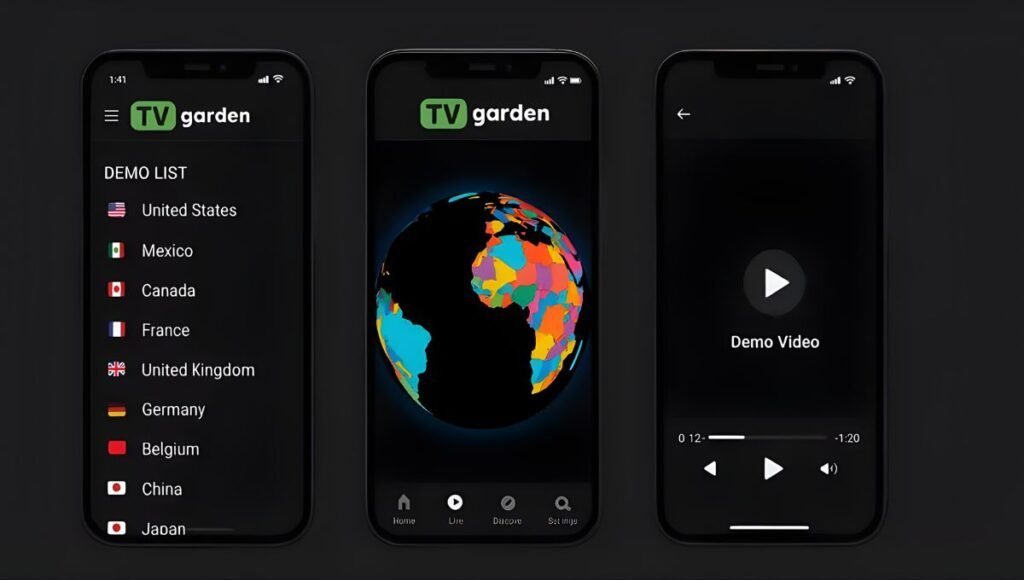
3D Interactive Globe
The globe is the flagship feature – not only very impressive to the eye, but also very functional. When one clicks on any city in the world, the TV stations that are aired in that area are loaded. It provides the feel of using a flip-through approach to go through television around the world instead of menu-driven.
No Registration Required
No email sign-up, no username and no password. You come to the location and you are already there. This is uncommon to a platform of this size and is a major consideration to the privacy conscious users.
Ad-Free Interface
Even though TV Garden is free streaming, unlike most of the free streaming websites, it does not display pop-up advertising or interstitial advertisement in its interface. In its privacy policy the platform claims that it does not store any personal data and does not track users with any third-party tracking systems, which has mostly been confirmed by independent testing.
Picture-in-Picture (PiP) Mode
The inbuilt media player also has PiP mode, which allows you to reduce the video to a floating window which allows you to still use your browser or other applications whilst watching the video. This comes in handy especially with news stations that are to be played in the background.
Chromecast and AirPlay Support
Directly cast with the TV Garden player to any screen with Chromecast. AirPlay is also compatible which implies that users of iPhones and iPads can project the stream on an Apple TV or a display that is compatible. This renders it a real feasible living room streaming device.
Electronic Programme Guide (EPG)
The EPG feature displays future programmes of supported channels and, as such, you know what to watch instead of channel-hopping until you find something interesting.
Continuous Channel Updates
The site uses the IPTV-Org community playlist as a basis to refresh its channel database on a regular basis. New channels are not only added when they are publically available but also broken links are removed or substituted gradually.
- Instructions on the use of TV Garden.
- Improved TV Garden Visually (Recommended)
- On any device with a browser, visit tv.garden.
- You can use the 3D globe, left panel or the search bar to locate a channel.
- Clicking on any channel will instantly start playing.
- Click on the star to add the channels to your Favourites.
- The dice icon can be used to find a random live stream.
TV Garden Android App
TV Garden could be found in Google Play Store as an Android application. One way in which the app version is more adaptable is that you can use it to use your own HLS, DASH, or MP4 streaming links as opposed to just using the IPTV-Org playlist. This renders it a personal IPTV player among those users who already have their own legal sources of streams.
- Install the Google Play Store app, search TV Garden and install it.
- Launch the app and either browse the channels or add your own stream links.
- Favourites: Save favourite channels.
- Take PiP and Chromecast features out of the player.
TV Gardens on Fire Stick and Smart TV
TV Garden has an APK version which can be sideloaded to Amazon Fire Stick and Android TV devices. This involves allowing the setting of unknown sources that would allow you to install apps in your device settings. It is more technical than a normal Play Store install, so is more appropriate to users more used to sideloading.
TV Garden: Is It Safe and Legal?
This is the first question that most users ask themselves before they begin and the truthful response to this is: it depends on what you watch.
The platform as such is not hazardous. The privacy policy of TV Garden assures that no personal data is gathered and there is no analytics or tracking systems of a third party on the site. This has been validated by independent checks. It contains no advertisements to interfere with the interface and does not redirect users to some suspicious third-party websites.
The issue of legality is less obvious. The TV Garden feeds on the IPTV-Org open-source playlist that contains publicly broadcast streams of the channels of government TV stations, YouTube live streams, and free-to-air television stations. Most of them can be viewed completely legally.
Nevertheless, the site also reveals links to paywalled channels, channels that are usually paywalled, since they have stream links that are publicly available in the IPTV-Org directory. TV Garden is not the creator or host of these links; it is a display of the links. This puts the platform in a grey position of the law as opposed to an illegal one.
To the audience, passive viewing of publicly accessible streams exposes the individual to minimal personal legal risk in that there seems to be a general agreement amongst legal experts that there is low risk in terms of personal legal liability. It is always prudent to know what content you are viewing, and the copyright laws in your nation. A good VPN should be used when you wish to get around geo-restrictions, or even provide a level of privacy to your connection.
Pros and Cons of TV Garden
Pros
- Free of charge – no fees, no registration, no secret fees.
- No pop-ups or banners, no advertisements.
- No individual data gathered, no trackers.
- All the channels in one location, 1,000 and more and 130 countries and more.
- Requires no installation and can be used in any browser.
- Flexible viewing Chromecast, AirPlay and PiP.
- Channel discovery could not be more fun than with interactive globe.
- Regular updates of the IPTV-Org community.
Cons
- There are links in the streams that fail or become offline sometimes – consistency is not assured.
- None of the features of DVR or recording.
- Favourites are local to the browser, and are not cross-platform.
- Certain premium channels emerge in it and this puts the platform in a grey area concerning legalities.
- You may not access some channels based on geo-restrictions.
- The Android application is a personal player and not a directory.
Who Should Use TV Garden?
TV Garden will suit cord-cutters seeking to watch international TV that is free-to-air without a subscription fee. It is particularly effective in serving individuals who wish to consume news, sports highlights or cultural content of their native country when they are abroad; something that would be extremely uncommon on mainstream media at no cost.
It is also handy to language learners, who wish to view live televisions in a target language, and travellers, who wish to be in touch with home broadcasts when in the road. The browser-only strategy implies that there is nothing to be configured, any screen and a browser will be compatible.
TV Garden will not meet the needs of those who are mainly interested in high quality TV series, live cover of the Premier League or NFL matches, and on-demand libraries of films. In that case, it is more suitable to use such subscription services as YouTube TV, Hulu Live, or Peacock. However, as much as it has to offer, that is, free, worldwide, live television with a clean interface, TV Garden is truly one of the superior applications of its type.
Competitors
In case you desire a completely legal, and trusted live television experience, or even better, TV Garden, here are some that will be worth trying: Pluto TV and Tubi are free, ad-supported live channels in the US, with complete legal licensing. YouTube TV offers local and national TV packages at a one-month subscription. The BBC iPlayer, France.tv and similar apps of other national broadcasters are free to access their respective country-licensed content.
Final Thoughts
TV Garden is the one site that is actually as simple, clean and functional as it can be. No tacky sign-ups, no advertisements to distract the interface, and an unexpectedly large amount of channels in all parts of the world. The 3D globe interface is not merely a visual gimmick – it makes navigation within international content seem easy.
Some of the premium channels that the platform exposes users to via the IPTV-Org playlist are legal gray territory, and not as reliable as paid services. However, in the case of free-to-air news, cultural programming and international television that are not subscribed to, it is among the more reliable tools in 2026. Enter with sensible hopes, (possibly) employ a VPN when necessary due to geo-blocked material, and you will probably see it a valuable addition to your streaming lineup.
Also Read: OpenDream AI Art Generator Guide: Create Stunning AI Images in Seconds
Refresh Date: April 24, 2026