
There’s a point almost every studio reaches where the render farm that used to handle everything overnight just… doesn’t anymore. Shot counts go up, scenes get heavier, and suddenly what finished by breakfast is still chugging along at lunch. Throwing more machines at the problem feels like the obvious fix, but it rarely is.
Client expectations haven’t stayed still either. Photoreal lighting, denser simulations, tighter turnarounds – it’s a lot more than what studios were dealing with five or six years ago. Treat rendering as something to deal with later, and it has a way of becoming the reason a deadline slips, or worse, the reason an artist is still at their desk at 11 pm waiting on a frame that should’ve taken twenty minutes.
Why Rendering Infrastructure Becomes a Bottleneck
Rendering sits at the end of the pipeline, so it inherits every delay that happened upstream. By the time a shot reaches the farm, there’s usually no slack left to absorb a slow render. Layer on extra passes, more revision rounds, and heavier geometry, and even a farm that was solid a year ago starts falling behind. The frustrating part is that it’s rarely a raw hardware shortage – plenty of studios have decent core counts and still can’t keep up, because the machines were never matched to the render engine actually running on them.
Choosing Hardware That Matches Your Pipeline
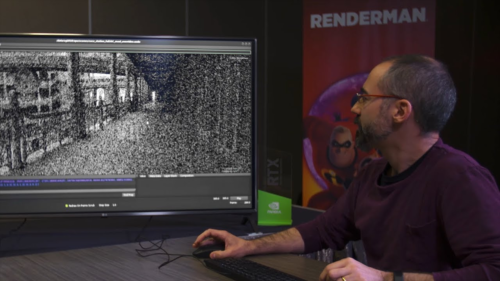
If your pipeline runs on Pixar’s renderer, hardware built specifically around it makes a real difference, not a marginal one. Cloud Ninjas’ Pixar Renderman and Ryzen workstation is configured around the core counts and memory bandwidth Renderman actually pulls from, instead of specs that read well on paper but don’t do much for frame times.
A workstation specced for modeling and look-dev isn’t necessarily built for final-frame output, and that gap catches a lot of studios off guard. Which hardware makes sense really comes down to the render engine you’re running more than anything else – CPU rendering still holds up for some film work, but GPU rendering has become the default for teams that need speed without giving up quality.
The Real Cost of Underpowered Render Nodes
This is where the mismatch actually starts costing money. Studios leaning on Redshift are working with a bottleneck that’s easy to miss, since the engine depends so heavily on GPU throughput rather than CPU cores. A Redshift and Ryzen workstation tuned for that balance can shave render times noticeably compared to a general-purpose build, and the difference shows up fast once you’re pushing heavier scenes.
Slow rendering rarely shows up as one obvious line item. It leaks out in smaller ways that add up:
- Artists stall out waiting on test renders instead of iterating
- Supervisor reviews slide later in the day, pushing feedback further back
- Overtime creeps into weeks that shouldn’t need it
- Bids get turned down because the studio can’t compete on turnaround
None of that lands as a single number on a budget sheet. Add it up over a quarter, though, and it’s often more than the hardware upgrade would’ve cost in the first place.
On-Prem vs Cloud Rendering: Finding the Balance
At some point, most studios end up asking whether to keep growing their own farm or lean on cloud rendering when things get busy. There’s no universal answer, but a few patterns tend to hold up:
- Owned hardware works well for steady, predictable workloads
- Cloud bursting handles deadline spikes without locking you into anything long-term
- A hybrid setup usually beats going all-in on either one
- Asset syncing and data transfer costs need to be figured out early, not discovered halfway through a crunch
Studios that think through both options ahead of time tend to avoid the scramble that happens when a deadline gets moved up, and the farm suddenly can’t absorb it.
Building a Scalable Render Farm Strategy
Scaling isn’t something you do once and forget. It’s more of an ongoing process – matching hardware to workload, keeping an eye on where the bottlenecks actually show up, and adjusting before a crunch forces the issue instead of after. The studios that handle this well usually start by figuring out which stage of their pipeline eats the most render time, then buy for that specifically rather than picking generic specs and hoping.

Final Thoughts
A missed delivery date doesn’t have to come down to render infrastructure. Match the hardware to the engine, think ahead about when cloud rendering makes sense versus staying on-prem, and most of the crunch-week panic just… doesn’t happen. Working with a vendor that actually understands render-specific hardware, rather than one treating GPUs as interchangeable commodity parts, saves a lot of expensive trial and error down the line – which is the whole idea behind what Cloud Ninjas builds toward. The studios that plan this out before the deadline hits, rather than scrambling once it does, tend to be the ones still winning the next bid.
Refresh Date: July 22, 2026